Markdown Test
This document gives examples of how to use markdown for font documentation, for both in-project docs (html, pdf) and product site page source (md). Although these three target doc types each support some unique capabilities (e.g. product site accordions) this doc focuses on markdown that works for all three types.
Paragraphs, text formatting, line breaking
This paragraph gives examples of formatting that uses special enclosing characters: italic, bold, inline code.
Here is a second paragraph. If you want to
break a line in a specific place the clearest way is to use <br>.
Headings
Note that H1 is not used for font documentation pages.
H2
The H2 is the most common heading type used.
H3
H4
H5
H6
Tables
| Unicode block | Font support |
|---|---|
| C0 Controls and Basic Latin | U+0020..U+007E |
| C1 Controls and Latin-1 Supplement | U+00A0..U+00FF |
When text requires wrapping in cells, the relative width of columns can be somewhat adjusted by tweaking the --- | --- line under the header:
| Unicode block | Characters | Long explanation |
|---|---|---|
| C0 Controls and Basic Latin | U+0020..U+007E | This is a longer text to describe the basic Latin block |
| C1 Controls and Latin-1 Supplement | U+00A0..U+00FF |
Table columns can also be aligned using :---: syntax:
| Left-aligned | Centered | Right-aligned |
|---|---|---|
| This is a longer text to describe the basic Latin block | C0 Controls and Basic Latin | U+0020..U+007E |
| More left-aligned text | C1 Controls and Latin-1 Supplement | U+00A0..U+00FF |
Lists
Ordered List
- First item
- Second item
- Third item
Unordered List
- List item
- Another item
- And another item
Nested List
- List item
- Subitem
- Another subitem
- Another item
Blockquotes
Here is a block quote.
Note that you can use Markdown syntax within a blockquote.
Code blocks
<!DOCTYPE html>
<html lang="en">
<head>
  <meta charset="UTF-8">
  <title>Example HTML5 Document</title>
</head>
<body>
  <p>Test</p>
</body>
</html>
Links
External links always specify the full URL (Keyman, SIL Language Technology). Relative links should point to the relevant markdown file (This project’s About page).
Links to external files are a bit odd and require changing the extension in the source to .md rather than “. This prevents the extension changing to .html.
Links can be specified inline, with the full link in the text, or using named references (This project’s About page).
Footnotes
Here is an example of a footnote1 that will appear at the very bottom2 of the page. Footnotes will automatically be numbered sequentially when rendered.
Images
Images should be specified in markdown syntax with the local path used as the link. The class is required and needs to be defined in {}, usually {.fullsize}. Then the actual path to the image in the product site image library needs to be placed in a comment using a special syntax. If you want a caption it needs to be placed in a separate html figcaption element. Example:
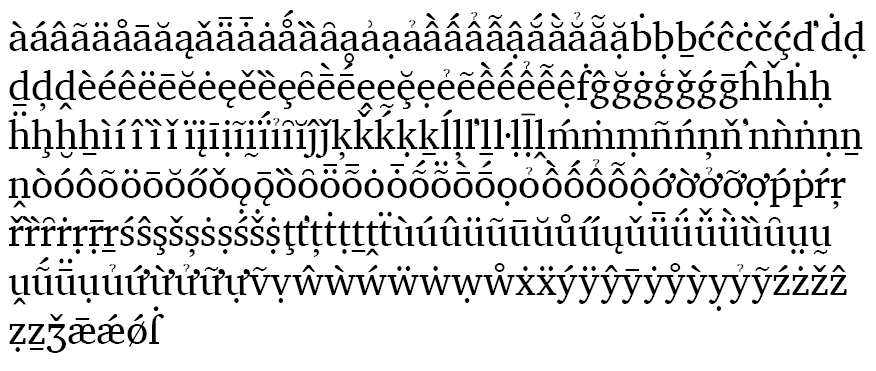
This is the caption
Web fonts
To display text in the html and pdf versions using generated fonts a few things need to be in place:
- Each font that is used needs to have both
@font-faceand a corresponding class definition in/documentation/source/assets/css/webfonts.css - The WOFF2 fonts used must be manually copied into the local
/webfolder of whatever machine is used to generate the pdfs. These should ideally not be committed to the project repo. The generated fonts are already automatically in the right place in the user install archive. - The text must be enclosed in a
<span>with the appropriate class definition. - If the font size needs to be different from the main body text, then the font-size (in rem) needs to be added to the css for that class in either theme.css or webfonts.css. Instead the size can be explicitly set in the individual
<span>
In order for text marked up in the same way to display properly on the product sites a few additional things need to be set up:
- The WOFF2 font files need to be uploaded to the product site server (see docs elsewhere), and be given reference names to match the font family names used in webfonts.css.
- Each page that uses the font needs to have a shortcode definition that matches the css class id and font family names.
- The classes listed in individual
<span>s need to include ‘normal’ to remove any inherited styling.
Example: Charis SIL regular, italic, bold, and bold italic.
Font features
Activating font features requires setting feature values. It is possible to set the font-feature-settings using special css classes, but it may be better to set the feature setting in the <span>. This reduces the number of shortcode definitions that need to be added to each page. Examples:
| Feature | Default | Activated |
|---|---|---|
| Small caps (scmp) | abcde | abcde |
| Eng alternate 1 (cv43) | Ŋ | Ŋ |
| Eng alternate 2 (cv43) | Ŋ | Ŋ |
| Eng alternate 3 (cv43) | Ŋ | Ŋ |
| Serbian italic alternates (language-specific) | б г д п т | б г д п т |
Right-to-left text
Embedding spans of right-to-left text within a primarily left-to-right paragraph requires adding dir="rtl" to each <span>: لكل شخص الحق في التعلم. ويجب أن يكون التعليم في مراحله الأولى والأساسية على الأقل بالمجان، وأن يكون التعليم الأولي إلزاميا وينبغي أن يعمم التعليم الفني والمهني، وأن ييسر القبول للتعليم العالي على قدم المساواة التامة للجميع وعلى أساس الكفاءة. The direction changes should just work, even when the text is broken between multiple lines.
Block elements (paragraphs, etc.) that are primarily right-to-left require wrapping each block in the appropriate HTML tag and also adding dir="rtl" to each HTML tag (not the <span>):
لكل شخص الحق في التعلم. ويجب أن يكون التعليم في مراحله الأولى والأساسية على الأقل بالمجان، وأن يكون التعليم الأولي إلزاميا وينبغي أن يعمم التعليم الفني والمهني، وأن ييسر القبول للتعليم العالي على قدم المساواة التامة للجميع وعلى أساس الكفاءة.
RTL text in table cells requires adding dir="rtl" to each <span> but also setting the column alignment for the whole table to ---:. This will align all the text in the specified column, including the header. There seems to be no way to override the direction for text in individual cells.
| Language | Sample | Feature setting |
|---|---|---|
| default | د ذ ڈ ډ ڊ ڋ ڌ ڍ ڎ ڏ ڐ ۮ ݙ ݚ ࢮ م ممم ݥ ݥݥݥ ݦ ݦݦݦ ࢧ ࢧࢧࢧ ه ههه ئ ئئئ ، ؛ ۴ ۶ ۷ بِّ بُ بٌ بٗ | |
| Sindhi | د ذ ڈ ډ ڊ ڋ ڌ ڍ ڎ ڏ ڐ ۮ ݙ ݚ ࢮ م ممم ݥ ݥݥݥ ݦ ݦݦݦ ࢧ ࢧࢧࢧ ه ههه ئ ئئئ ، ؛ ۴ ۶ ۷ بِّ بُ بٌ بٗ | lang=sd |
Text examples are from the UDHR Article 26 (Arabic MSA). Additional useful information for handling bidirectional text is in two docs from the W3C: Structural markup and right-to-left text in HTML and Inline markup and bidirectional text in HTML.
Color
Text can be colored by adding the CSS style property to the <span> of text.
For some browsers (Firefox, Chrome) it also seems possible to color text without breaking the contextual text stream by adding a <span> within a <span>: ننن. However this does not seem to work in Safari and may not work in other environments. It also does not work in the PDF, so if you use this you may need to print the doc from Chrome to produce the PDF rather than using makedocs (which uses weasyprint).
Horizontal rule
Paragraph before rule.
Paragraph after rule.
Formatting using special html entities
H2O
Xn + Yn = Zn
Press Ctrl+Shift+C to copy.
Text can be highlighted, though that can be very distracting.