PTXprint

Our aim is simple: Bible Layout For Everyone!

Downloads

PTXprint: Empowering Communities Through Bible Publication

People. Languages. Life. At SIL, we believe languages matter because people matter. Used by over 2,500 projects worldwide, PTXprint is powerful Scripture publication software that enables anyone to manage their own Bible layout to create high-quality publications.

Empowering Local Outcomes. Part of our mission is to advocate for and work with local communities. PTXprint provides a tool that allows teams to publish early and publish often to iteratively improve the quality of a translation by gaining vital feedback from the community. This collaborative approach ensures that the final result truly reflects the language the community values most.

Designed to streamline the process, PTXprint helps you effortlessly produce Scripture PDFs directly from Paratext or USFM files. Our goal is to pair innovation with stewardship, sharing our expertise to make professional typesetting accessible to all.

  • Tailored to Your Audience: Generate Scripture tailored to your audience’s needs with a wide range of custom configuration options.

  • Versatile Formats: Whether you need a single book, study Bibles, topical studies, or dual-language (diglot) and dual-script publications, PTXprint makes it quick and easy to generate documents for draft printing and community testing.

  • Professional Results: With a little more time and effort, PTXprint produces beautiful, high-quality final publications ready for formal use.

“Our incremental approach enables quicker access to practical Scripture products, leading to a more immediate impact.”

By focusing on the people behind every language, PTXprint helps communities achieve their goals for education, engagement, and flourishing.
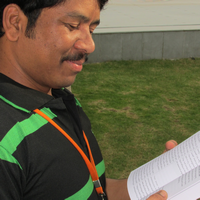
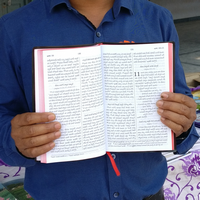
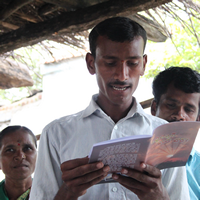
Key Features of PTXprint

Accessible

PTXprint is a unique and accessible tool for creating high-quality publications. The full version of PTXprint software is free and available globally with no limitations on use.

To increase its reach, the software has been localized into many languages, including Arabic, Chinese, French, Indonesian, Portuguese, Romanian, Russian, Spanish, and more.

Overview of features…


Customizable

PTXprint accommodates projects of any size with dozens of easily configurable options. This includes basic functions like footnotes and cross references; visual impacts with embedded images and decorative borders; and even advanced options like aligning dual-language (diglot) publications. Some users have even expanded to include study aids, character profiles, topical studies, hymnals and more.

Check out the gallery…


Approachable

PTXprint’s interface works to train users as they go, no manual necessary. Additional support is available on the website including access to a range of training videos, slides, and FAQs.

Still stuck? Just reach out – our support staff is happy to help you troubleshoot!  In addition, in-person and virtual trainings are held on a semi-annual basis – sign up is free. 

How to get help…


Common Questions

Who can use this tool?
Anyone who has scripture in the required format (either Paratext USFM, or a DBL bundle) can use PTXprint. The tool was designed primarily with mother-tongue translators in mind, so many of the advanced features are intentionally hidden until the view level is changed from Basic to Full, making 400+ settings accessible – enough for even experienced typesetters.

Who else can make use of this tool?
Any local church can access Scripture texts in hundreds of languages (downloadable from the Digital Bible Library or Open.Bible) and produce well-formatted Scripture to help its members engage with God’s Word in a language and format that suits them best. Imagine being able to provide a parallel dual-language text to someone visiting or immigrating from another country in just minutes.

How is PTXprint different than InDesign with Publishing Assistant?
Each tool is crafted for a distinct user base. PTXprint simplifies the process for translators, while Publishing Assistant caters to different needs. See our detailed comparison between PTXprint and PubAssist for more info.

See full FAQ list

Training Resources

Basic Tutorials

Slide Presentations

Videos

Training Opportunities