How to: Make pictures smaller in a single-column layout
This is probably a common scenario for many translators:
We always use a single-column layout (to accommodate our long words), but generally set illustrations at “column width”. But they seem to import as full-page. Is there a way that we can change that?
Yes, there’s an easy way to get pictures to only use 1/2 the column width, but the PTXprint-specific terminology, Cutout, doesn’t make it easy to discover.
Follow these steps to change the PicList to get smaller pictures:
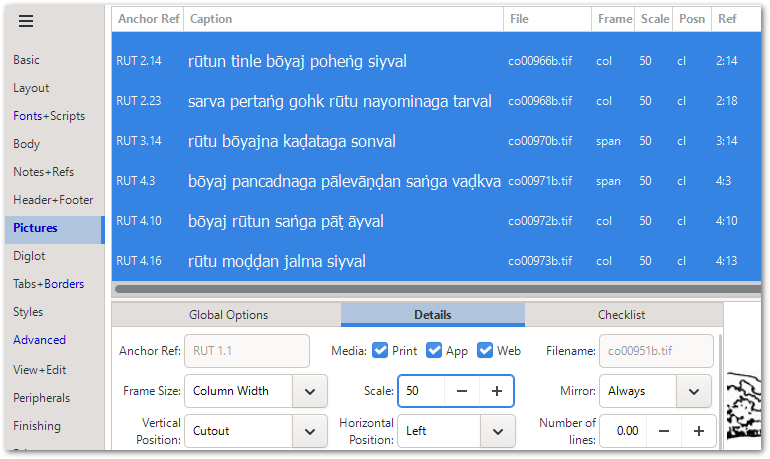
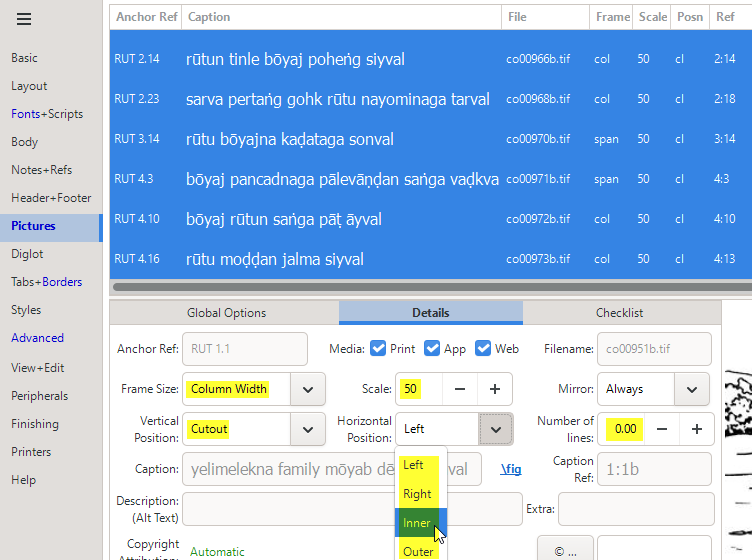
- Select all the pictures that you want to change (in bulk). Click, move to end of list and Shift-click will allow you to select multiple pictures.
- On the Details tab of the bottom pane, change the following:
- Frame Size: Column Width
- Vertical Position: Cutout
- Scale: 50
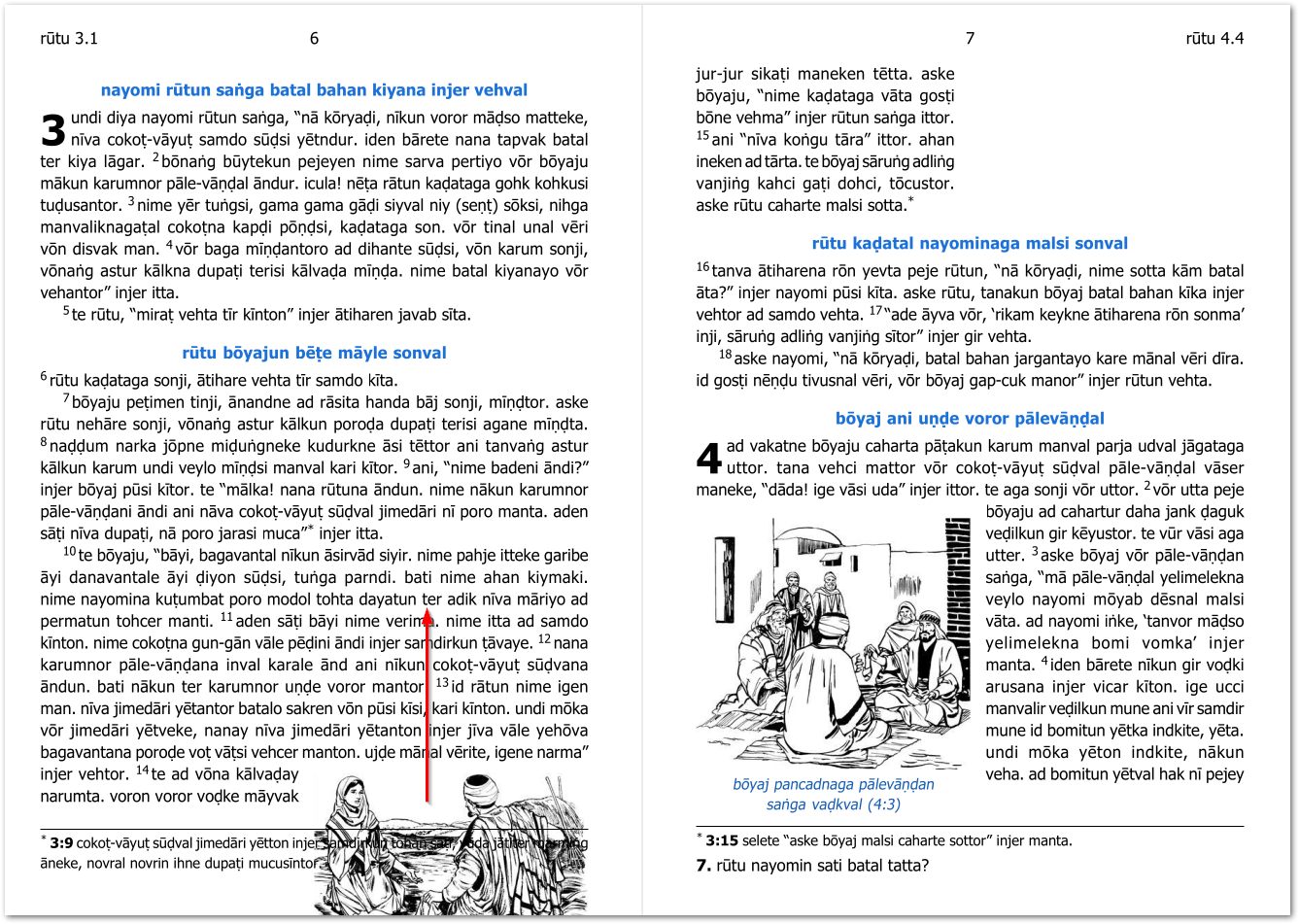
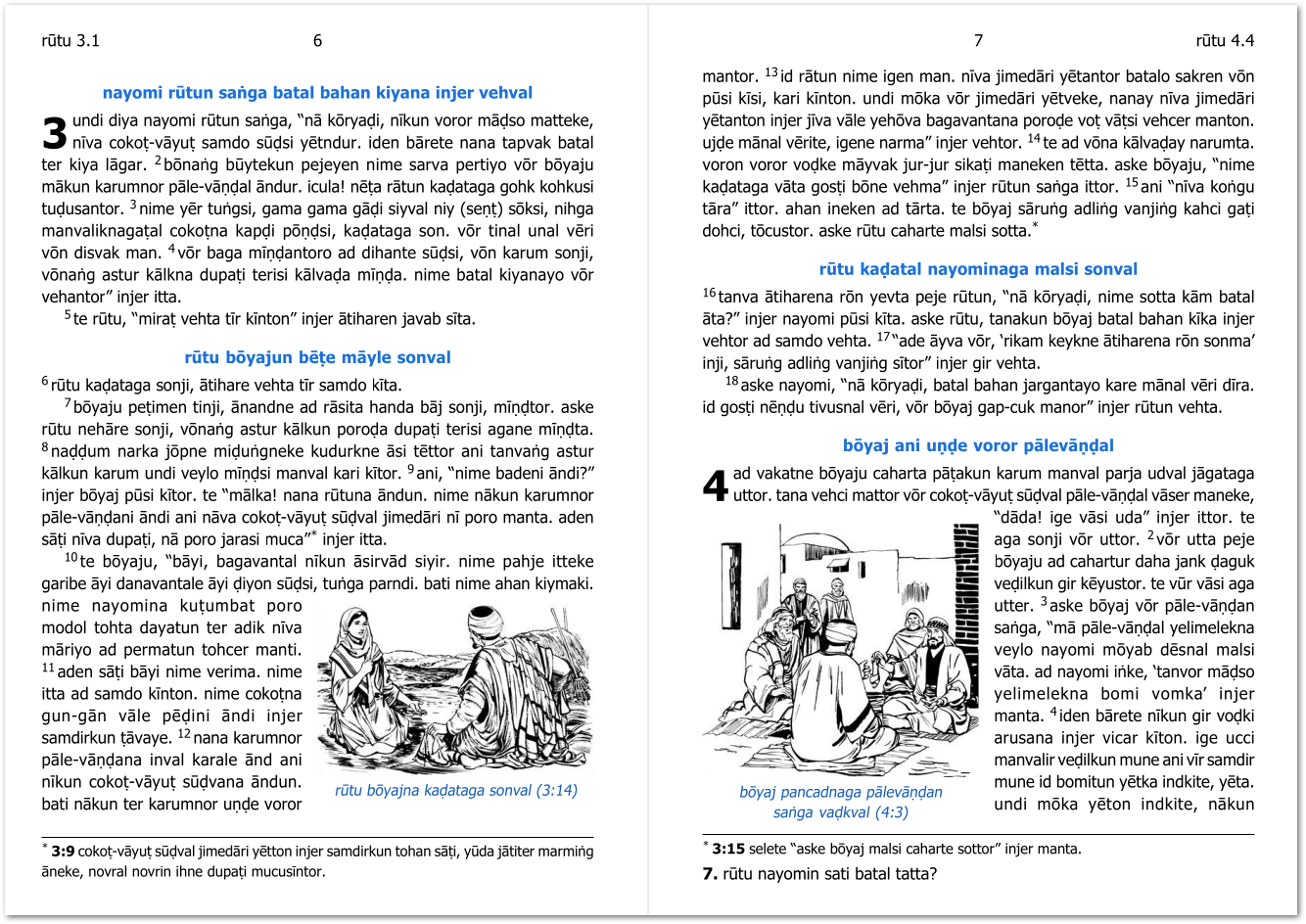
When you click on Print, you should now see smaller pictures in the resulting PDF. But not everything will be in the right place. This is because it takes several attempts to position these rather complicated Cutout illustrations. (Turning off Quick Run will ensure it automatically runs multiple times to get the pictures in the right place, but sometimes, the picture just cannot fit in the location specified. For example, in the spread shown below, the picture Anchored to ch.3 vs.14 cannot fit there as most of the text for that verse spills onto the next page. So we need to move this picture UP into the main part of that paragraph.
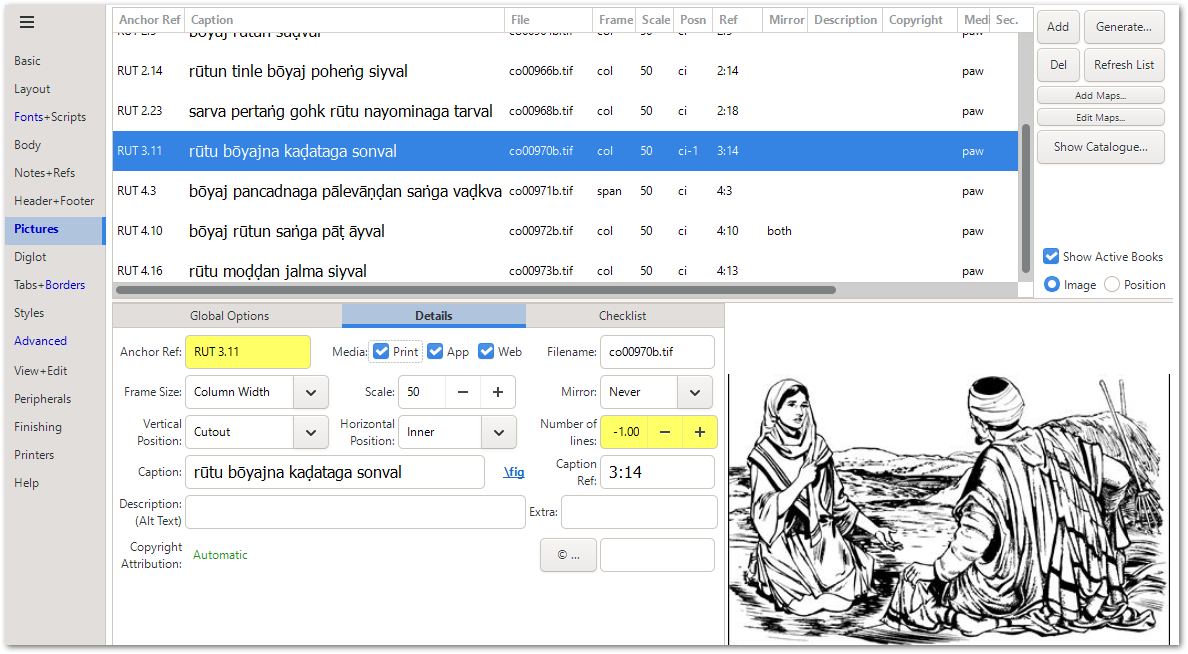
To move the picture, just change the Anchor Reference (the verse to which the picture is attached) as shown below. It has been changed to ch.3 vs.11 (and the Caption Ref can remain as 3:14).
Notice also that it has been shifted UP by 1 line (-1 has been set in Number of lines).
Now the image appears exactly where we want it to appear:
Note that when selecting the Cutout option, you can specify the Horizontal Position for the pictures to appear on the Left/Right/Inner/Outer edge of each page.
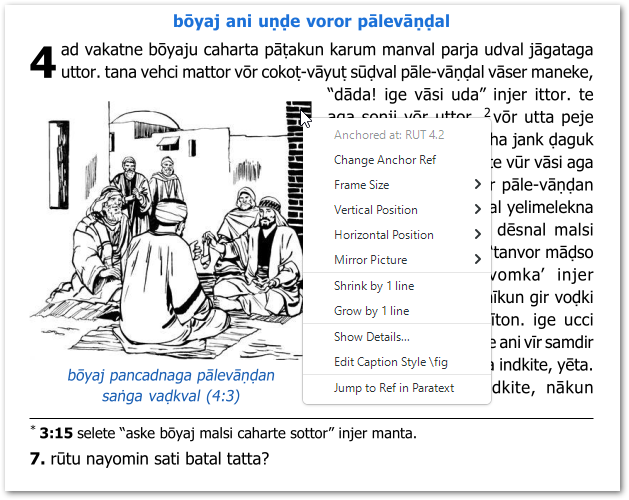
Another handy hint is that you can also Right-Click on images in the PDFviewer and adjust the size and position of pictures a little bit more interactively.